Free, Open-Weight or Open-Source AI Model? How to Check Licenses, Hardware, Privacy and Free API Limits
Learn the difference between free, open-weight and open-source AI models, and how to check licenses, hardware needs, privacy and free API limits before you build.
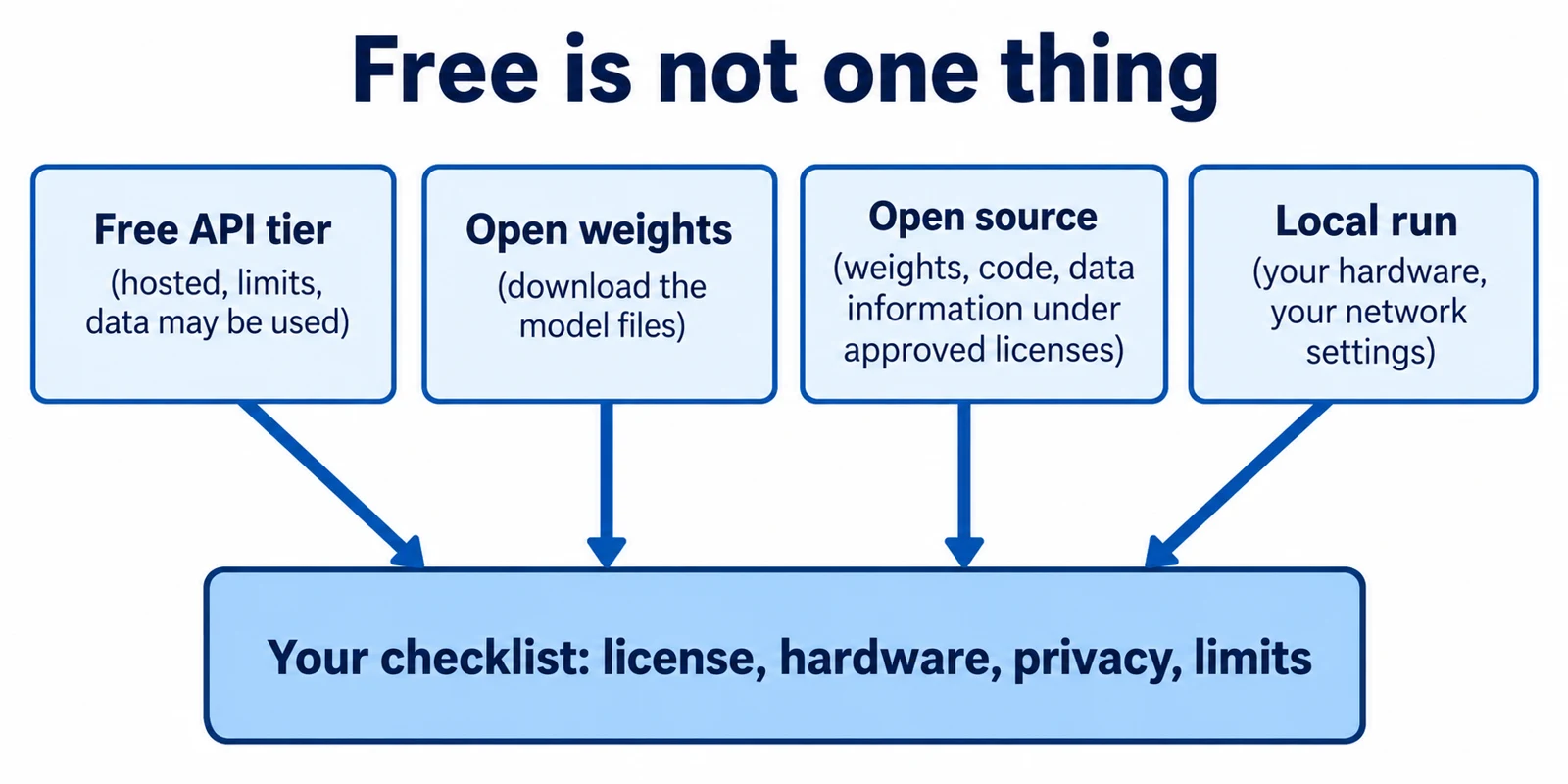
Many AI models are described as "free," but that one word hides four different things. A model can be free to call through a website, free to download, free to modify, or free to run on your own laptop. Each one comes with different rules, costs and privacy risks.
This guide explains how to tell them apart. It covers free-tier limits, licenses, hardware and privacy. It ends with an illustrative example and a checklist you can reuse. All facts below come from pages I opened on 2026-11-01. Where a page gave no number, I give none.
Article index
- Four things "free" can mean
- Open source, open weights and license checks
- Free API tiers and their limits
- Hardware and running a model locally
- Privacy and security implications
- A worked example
- Common mistakes
- Recap
- Research Sources
Four things "free" can mean
First, a free API tier lets you send requests to a model that someone else hosts. You pay no money, but you accept their limits and terms. Second, open weights means the trained model files, called weights or parameters, are public. Third, open source is a stricter claim that needs more than weights. Fourth, local inference means running a model on your own machine.
These can overlap, but they do not imply each other. A model with a free hosted tier may have no downloadable weights. A downloadable model may carry a license that limits some uses. A local model costs no per-request fee, but it uses your electricity, memory and time.
Throughout this article, I label statements as documented fact (stated on a page I opened), vendor claim (the maker's own description), or illustration (a made-up scenario, not a test result).
Open source, open weights and license checks
What open source means for AI
The Open Source Initiative (OSI) publishes an Open Source AI Definition, version 1.0. It says users must be free to use, study, modify and share the system for any purpose. To make that possible, it asks for three things: sufficiently detailed information about the training data, the complete source code used to train and run the system, and the model parameters. Each must be released under OSI-approved terms.
By that definition, a model with downloadable weights alone is not automatically open source. Many releases are better described as "open-weight." That is my reading of the definition, not a legal ruling about any specific model.
Reading three real licenses
The gpt-oss-20b model page on Hugging Face lists the Apache 2.0 license, which it calls permissive. The page also lists weights, reference inference code and a model card as released. It says the model should only be used with the "harmony" response format. Apache 2.0 itself requires you to keep license and attribution notices and to mark modified files, as the Gemma 4 license page reproduces in full text.
The Llama 4 Community License (effective April 5, 2025) works differently. Companies whose products had more than 700 million monthly active users when Llama 4 was released must ask Meta for a license, which Meta may refuse. Distributors must display "Built with Llama," and models built from Llama materials must carry a name beginning with "Llama." Use must also follow Meta's Acceptable Use Policy.
The older Gemma Terms of Use (last modified April 1, 2026) add yet another pattern. If you redistribute, you must pass on the use restrictions, mark changes and include a notice file. Google may restrict usage it believes breaks the terms, and on termination you must delete copies. That page says Gemma 4 is covered by a separate license, and the Gemma 4 license page shows Apache 2.0 text. That page also says its documentation is deprecated, so check the current official docs before relying on it.
The lesson: license names matter, and so does the exact model version. Read the license that ships with the exact files you download.
Free API tiers and their limits
A free API tier is a service offer, not an open license. The provider can change the models, limits and terms. Google's Gemini API pricing page (shown as updated 2026-10-30) marks some models "Free of charge" and others as not available on the free tier. It also lists Gemma 4 as free only.
Limits are layered. According to the Gemini API rate limits page, usage is checked against requests per minute, input tokens per minute and requests per day. A token is a small chunk of text, roughly a word fragment. Exceeding any one limit triggers an error, limits apply per project rather than per API key, and daily quotas reset at midnight Pacific time. Preview models have stricter limits.
That rate-limits page lists no free-tier numbers. It points users to Google AI Studio for their active limits and says the limits are not guaranteed. So if you see a blog post quoting a free-tier number, treat it as stale until you confirm it in your own account.
Privacy differs too. The Gemini API terms (updated 2026-04-28) say that for unpaid services, Google uses submitted content and responses to improve its products, and human reviewers may read them. For paid services, Google says it does not use prompts or responses that way. The pricing page repeats this pattern for most models. That is a documented difference you should plan around.
Hardware and running a model locally
Running a model locally is called inference. The main limit is memory, because the weights must fit in GPU memory (VRAM) or system RAM. Lower precision, called quantization, stores each number with fewer bits so the file is smaller, usually at some cost in quality.
Google's Gemma core models page gives approximate load sizes for Gemma 4. For example, the 12B model is listed at 26.7 GB in 16-bit, 13.4 GB in 8-bit and 6.7 GB in 4-bit. The page says these include about 20% overhead but exclude the context window (the working memory for your conversation) and supporting software. It also notes that the 26B mixture-of-experts model must load all 26B parameters even though it activates only 4B per token.
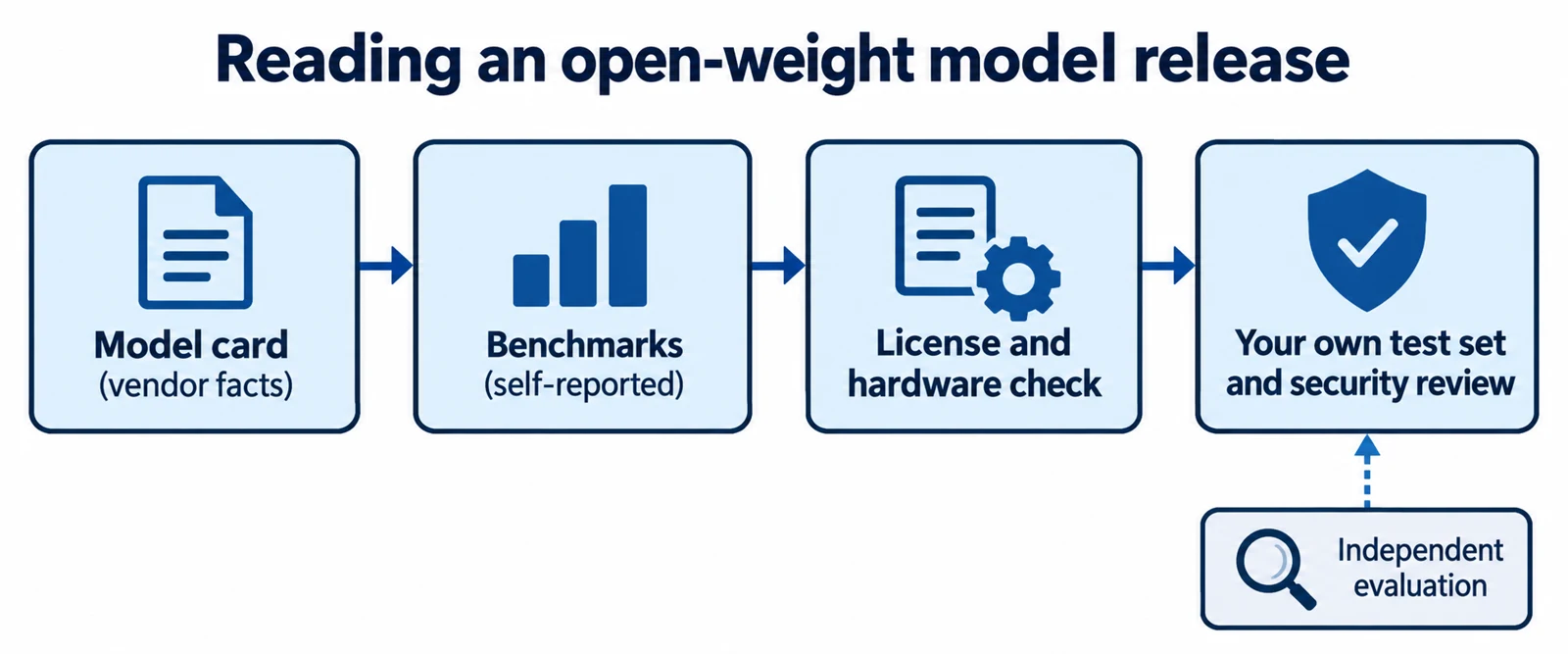
For another data point, the gpt-oss-20b page says the model can run within 16 GB of memory. That is the publisher's claim, not an independent measurement. Real speed depends on your chip, context length and software.
Ollama is a popular tool for running models locally. Its FAQ says the default context window is 4096 tokens, which you can change with OLLAMA_CONTEXT_LENGTH. It also says memory use grows with the number of parallel requests multiplied by context length. The command ollama ps shows whether a loaded model sits fully on the GPU or is split with the CPU.
Privacy and security implications
Local does not automatically mean safe, but it removes one big exposure: your text does not leave the machine. Ollama's FAQ says that when it runs locally, the company does not see your prompts or data. The same FAQ says cloud models work differently, and local-only users can turn cloud features off with OLLAMA_NO_CLOUD=1.
Network settings matter. The FAQ says Ollama listens only on 127.0.0.1 port 11434 by default. Setting OLLAMA_HOST can make it reachable from other devices. If you do that, put it behind authentication and a firewall, because a model server open to your network is another service an attacker can reach.
Free hosted tiers raise a different risk. If prompts may be used to improve products or read by reviewers, do not send customer data, passwords, health records or unreleased contracts. Remove personal details first, or use a paid tier or local model.
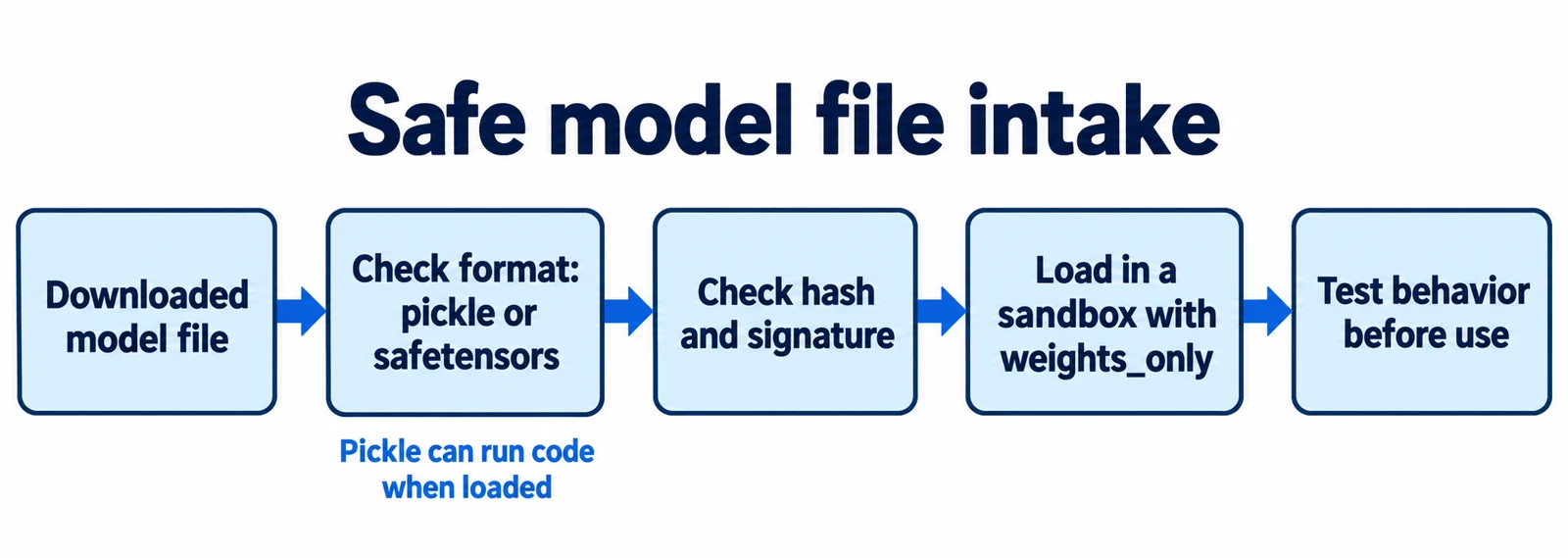
Finally, treat downloaded files as untrusted. Download weights from the publisher's official page, keep license files with them, and do not run unfamiliar scripts that come bundled with a model.
A worked example
Illustrative scenario, not a test result. A small accounting firm wants a tool that summarizes client invoices. They have one office laptop with 16 GB of memory. They want to know which kind of "free" model fits.
Prerequisites: Ollama installed (check with ollama --version and note the version in your record), a few fake invoices, and a text file for notes. No step below deletes anything.
- Classify the data. Input: real invoices contain names and bank details. What happens: the firm marks them as confidential. Result: free hosted tiers are out, because unpaid Gemini terms allow product-improvement use and human review. Why it matters: privacy is decided before price.
- Shortlist by license. Input: two candidates, one under Apache 2.0 and one under the Llama 4 Community License. What happens: the firm reads each license file. Result: both permit their use case in principle, but Llama adds attribution and naming duties if they ever redistribute. Why it matters: internal use and redistribution carry different obligations.
- Estimate memory. Input: the candidate's published size, such as 6.7 GB for a 4-bit 12B model from the Gemma table. What happens: add room for context and the operating system. Result: it likely fits in 16 GB, but this is a guess. Why it matters: the table excludes the context window.
- Run and check placement. Input:
ollama pull <model-tag>downloads the model, thenollama run <model-tag>starts a chat. Runollama psin a second terminal. Result: it should say whether the model is 100% GPU or split. If it is split or slow, try a smaller or more heavily quantized model. Why it matters: a CPU split can be much slower. - Lock down the server. Input: the default settings. What happens: confirm that
OLLAMA_HOSTis not set to expose the service. Result: only the laptop can reach port 11434. If another device can connect, undo the setting and restart. Why it matters: it prevents accidental network exposure. - Test with fake invoices. Input: three made-up invoices with known totals. What happens: the model summarizes each. Result: the firm compares the summary to the source and records errors. Why it matters: small models can misread numbers, so a person must review output.
- Write a decision record. Input: the license name, model version, download page, date and test notes. Result: a one-page file saved with the project. Why it matters: licenses and free tiers change, so you need proof of what you checked.
Common mistakes
- Calling a free API "open source." A free tier is access, not a license. Check whether weights, code and data information are actually published, using the OSI definition above.
- Assuming "open weights" means "no conditions." The Llama 4 license adds attribution, naming and large-company rules. Read the license for the exact version.
- Trusting copied free-tier numbers. Limits vary by model and project and are not guaranteed. Check your own dashboard on the day you build.
- Sending sensitive data to unpaid services. Unpaid terms can allow product-improvement use. Use a paid tier or local model for confidential data.
- Judging hardware from file size alone. Published figures often leave out context memory. Test with your real prompt length and run
ollama ps. - Exposing a local server by accident. Changing
OLLAMA_HOSTcan open the service to your network. Keep the default unless you add authentication.
Recap
- "Free" can mean a hosted tier, downloadable weights, open source, or local use. Name which one you mean.
- Open source needs more than weights: the OSI definition also asks for code and detailed data information.
- Read the license for the exact model version. Apache 2.0, the Llama 4 license and the Gemma terms impose different duties.
- Free API tiers have layered, changeable limits, and unpaid terms may allow product-improvement use of your prompts.
- Check memory with real context lengths, keep local servers on the default address, and have a person review outputs.
This article describes documented terms as of 2026-11-01 and is not legal advice. Licenses and limits can change, so confirm them on the official pages before you deploy.
Research Sources
- Open Source AI Definition 1.0 (Open Source Initiative)
- gpt-oss-20b model page (Hugging Face)
- Llama 4 Community License Agreement (Meta)
- Gemma Terms of Use (Google)
- Gemma 4 license page (Google)
- Gemma core models (Google)
- Gemini API pricing (Google)
- Gemini API rate limits (Google)
- Gemini API Additional Terms of Service (Google)
- Ollama FAQ