Free AI API or Local Model? Where Your Prompts Go, Which Limits Apply and How to Choose
Free AI API tiers and local open-weight models both cost nothing to start, but they handle data and limits differently. Learn what to check before you send a prompt.
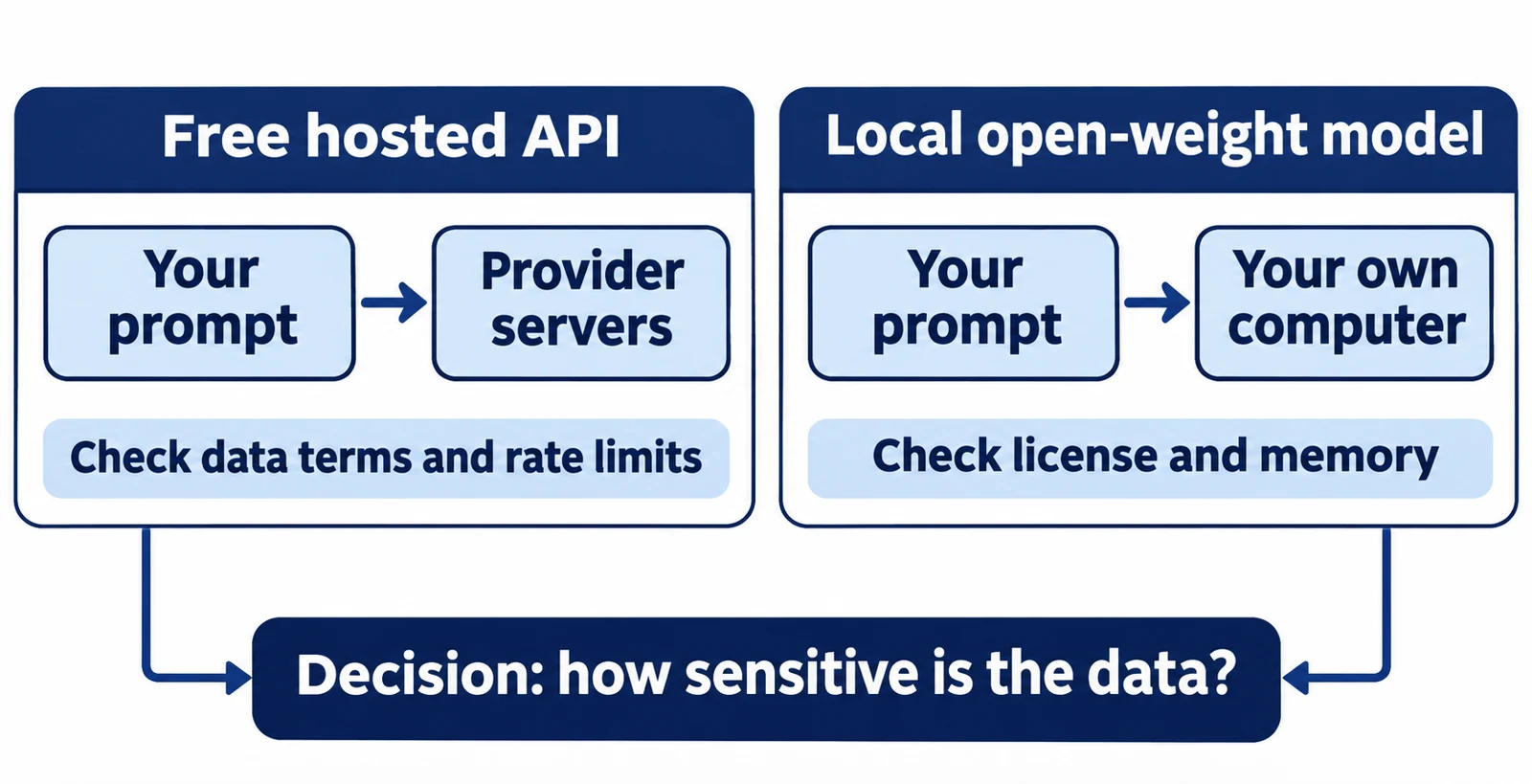
"Free" means different things in AI. A free hosted API lets you send prompts to someone else's servers at no charge. A free local model runs on your own computer. These two options differ in privacy, limits and legal terms, even when both cost nothing at first.
This article helps you choose between a free API tier and a local open-weight model. It explains the terms, shows what the official documentation says, and walks through one illustrative decision. Facts come from pages I opened for this article. Where a page did not give a number, I say so instead of guessing.
Article index
- Free has three meanings
- How free API limits work
- What free tiers may do with your data
- Running a model locally
- Open weights are not automatically unrestricted
- A worked example
- Common mistakes
- Recap
- Research Sources
Free has three meanings
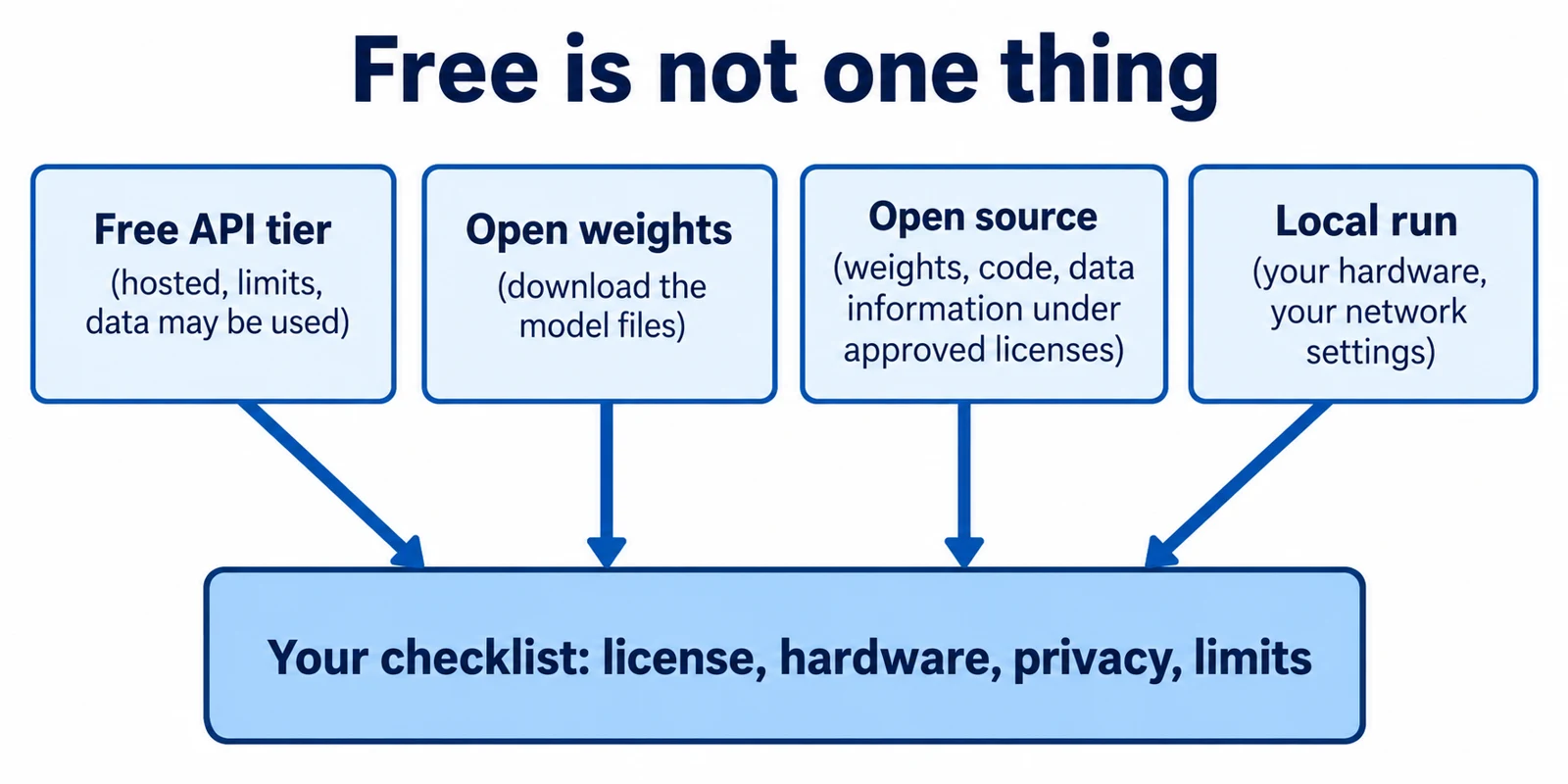
First, free API access means a provider lets you call a hosted model without paying, usually with caps. You do not get the model files. The provider can change the caps or the terms.
Second, open weights means the trained numbers inside a model (its "weights") are published for download. You can run them yourself. This is not the same as open source, which normally also implies open training code, data details and a license that allows broad reuse.
Third, free software to run a model, such as a local runner, is a separate thing again. A runner can be free while the model it loads has its own license. Treat each layer separately: the service, the runner and the model.
How free API limits work
Providers cap free use with rate limits. Common measures are requests per minute (RPM), tokens per minute (TPM) and requests per day (RPD). A token is a small chunk of text, often part of a word. If you pass any one limit, the request fails, even if the others have room.
Google documents this for the Gemini API. Its rate limits page says limits apply per project, not per API key, and that daily limits reset at midnight Pacific time. The same page lists no RPM, TPM or RPD numbers for the Free tier. It tells you to read your active limits in AI Studio, so check there rather than trusting a blog post.
OpenRouter, a service that routes requests to many models, publishes numbers for its :free model variants. Its limits page lists 20 requests per minute for all accounts. The daily cap is 50 requests if you have bought fewer than 10 credits in total, and 1000 if you have bought at least 10. A negative balance can cause errors even on free models.
Groq's rate limits page says limits apply to the organization, not to individual users. It also says cached tokens do not count and that responses carry headers showing remaining capacity. Because its public table was unclear about which values belong to the Free plan, I do not quote Groq numbers here. Your account's Limits page is the reliable source.
When you hit a cap, all three providers document an HTTP 429 error ("too many requests"). Wait and retry with growing delays. Do not build a product that needs steady throughput on a free tier; OpenRouter itself points to paid variants when you need capacity.
What free tiers may do with your data
The price is not the only cost. Free tiers can come with different data terms than paid ones. Read them before you paste anything private.
Google's Gemini API terms (effective date shown on the page: March 23, 2026) cover "Unpaid Services," meaning free AI Studio use and unpaid API quota. They say Google uses submitted content and generated responses to improve and develop its products and machine learning. They also say human reviewers may read, annotate and process inputs and outputs, with the data disconnected from your account, API key and Cloud project first. The page warns: "Do not submit sensitive, confidential, or personal information to the Unpaid Services."
The same terms add a regional rule. They say the paid-service data terms apply to unpaid services for users in the European Economic Area, Switzerland and the UK. They also say you may only use Paid Services when you make API clients available to users in the European Economic Area. If you build an app for other people, that second rule matters more than the free quota.
OpenRouter's free variants page says free variants "may have different rate limits or availability" than paid versions. The page I opened does not describe data handling for free models. I therefore cannot tell you what each underlying provider does with prompts; check each model's provider policy first.
Billing has a trap too. The same page warns that if you place a :free model in a fallback list that includes paid models, a fallback to a paid model is charged at its own price. Use only :free models in the list, or use the Free Models Router, which it says falls back only to other free models.
Running a model locally
Local inference means the model runs on your own machine. Your prompt does not travel to a model provider, so there is no provider-side rate limit or data-use clause for that prompt. Your limits become memory, speed and disk space.
Ollama is one free tool for this. Its FAQ says local use stays on your device and that Ollama does not see your prompts. By default it listens on 127.0.0.1 port 11434, which is reachable only from your own computer. The OLLAMA_HOST setting can expose it to your network, so change it only on purpose.
Local does not always mean offline. The FAQ says cloud models and web search are available by default, and that setting OLLAMA_NO_CLOUD=1 leaves local-only models. Ollama's cloud page says it processes cloud prompts and responses to answer requests and does not use them to train models. That page does not state how long data is kept, and it lists no free-tier limits. Using a :cloud model name sends your prompt off your machine.
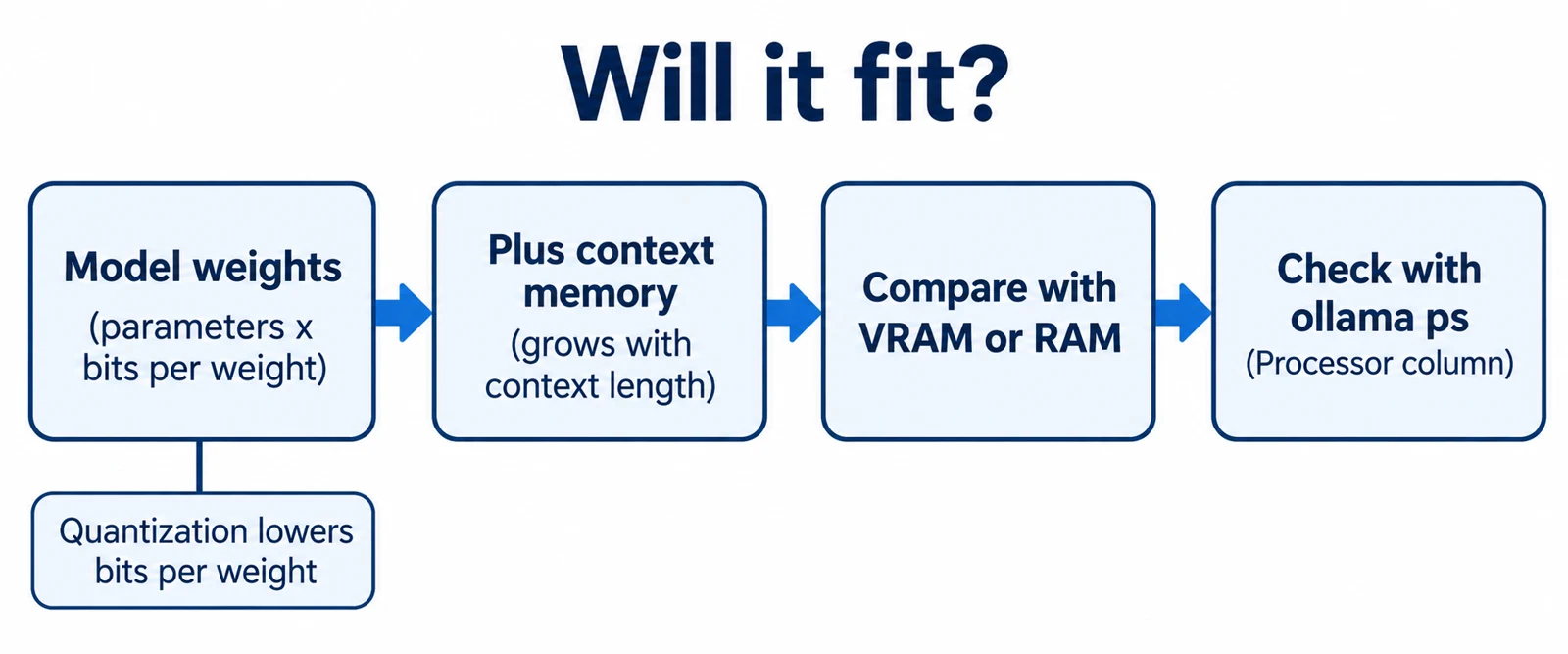
Context length is another practical limit. The Ollama FAQ gives a default context window of 4096 tokens, which you can raise with OLLAMA_CONTEXT_LENGTH. A longer context needs more memory, so a model that loads fine may still struggle on long documents.
Hardware varies by model. As one documented example, the gpt-oss-20b model card says the model has 21B parameters with 3.6B active, and that its MXFP4 quantization lets it "run within 16GB of memory." Quantization means storing the weights with fewer bits to save memory. That is a vendor statement about that model; test on your own machine.
Open weights are not automatically unrestricted
A license is the legal permission that comes with the files. For gpt-oss-20b, the model card lists the Apache 2.0 license, which it describes as permissive. That is a documented fact for that one model. Other open-weight models use custom licenses with their own conditions, so read each license instead of assuming.
The same model card shows that a license is not the whole story. It says the model should be used with the "harmony response format" or it "will not work correctly," and that the full chain-of-thought is "not intended to be shown to end users." Those are usage notes, not license terms, but they affect how you can build a product.
A free API for an open-weight model is still a hosted service. The model's license and the host's terms are two separate documents. A permissive model license does not make the host's free tier private or unlimited.
A worked example
Illustrative scenario, not a test I ran. A freelance consultant wants to summarize meeting notes. Some notes name a client and contain contract details. The consultant has a laptop with 16 GB of memory and wants no recurring cost.
Prerequisites: Ollama installed (check your version with ollama --version), enough free disk space for the model, and a model whose license you have read. The model name below is a placeholder.
- Sort the input by sensitivity. Input: the notes. What happens: the consultant marks each note as public, internal or client-confidential. Result: two piles. Why it matters: the Gemini terms warn against sending confidential or personal information to unpaid services, so the confidential pile should not go to a free hosted tier.
- Pick a model and read its license. Input: a candidate model's card. What happens: the consultant checks the license for commercial use and the stated memory needs. Result: a keep or reject decision. Why it matters: client work is commercial, and a model that fits in memory on paper may still be slow. If the card is unclear, choose another model.
- Turn off cloud features. Input: the setting
OLLAMA_NO_CLOUD=1set before starting the server, for exampleOLLAMA_NO_CLOUD=1 ollama serve. What happens: Ollama keeps only local models available. Result: no:cloudmodels can be used by accident. Why it matters: cloud models send prompts off the machine. - Download and list the model. Input:
ollama pull <model-name>, using the exact name from the Ollama library. What happens: the files download to the models folder. Result:ollama listshows the model. If the download fails, check disk space and your network connection, then retry. - Confirm the server is local only. Input: a check of listening ports, such as
ss -ltn | grep 11434on Linux. What happens: the command shows which address the port uses. Result: you should see127.0.0.1, which matches the default in the FAQ. If you see0.0.0.0, find whereOLLAMA_HOSTis set and remove it. - Run a non-sensitive test first. Input: a public paragraph. What happens: the model summarizes it. Result: you learn the speed and the quality. If long notes get cut off or ignored, raise
OLLAMA_CONTEXT_LENGTHand test again, remembering that more context needs more memory. - Check the output before use. Input: the summary and the original notes. What happens: the consultant compares names, dates and amounts. Result: a verified summary. Why it matters: language models can leave things out or invent details, and local hosting does not fix that.
The public notes could instead go through a free API for convenience, within its daily caps. That is a judgment about sensitivity, not a rule.
Common mistakes
- Calling a free API "open source." Free access is a pricing choice. Open weights or open source describe what you can download and reuse. Check which one you actually have.
- Pasting confidential data into an unpaid tier. Google's terms say unpaid content may be used to improve products and read by reviewers. Use local inference or a paid tier with suitable terms for private material.
- Assuming local means private by default. Cloud models are on by default in Ollama, and
OLLAMA_HOSTcan expose the server to your network. Turn off cloud features and verify the listening address. - Copying limits from a blog. Limits change and differ by account. Read your own dashboard, as Google and Groq instruct.
- Letting a fallback list bill you. Mixing paid models into a
:freefallback list is charged at the paid model's price, per OpenRouter's page. - Building a product on a free tier. Free tiers have caps, can change, and may carry regional rules, such as Google's paid-only requirement for apps offered to users in the European Economic Area.
Recap
- Free API access, open weights and open source are different things. Check each layer: service, runner and model.
- Free-tier limits are per project, organization or account, and several limits can apply at once. Read your own limits page.
- Google's unpaid terms allow product improvement use and human review, and they warn against sensitive data. Other providers' terms differ, so read them.
- Local inference removes provider-side data use for your prompts, but you must disable cloud features and keep the server bound to your own machine.
- A model's license and its hardware needs come from its own model card. Apache 2.0 for one model says nothing about another.
- Whatever you choose, verify the output. Hosting location does not make a model accurate.